Understanding rel="noopener" In Site Security

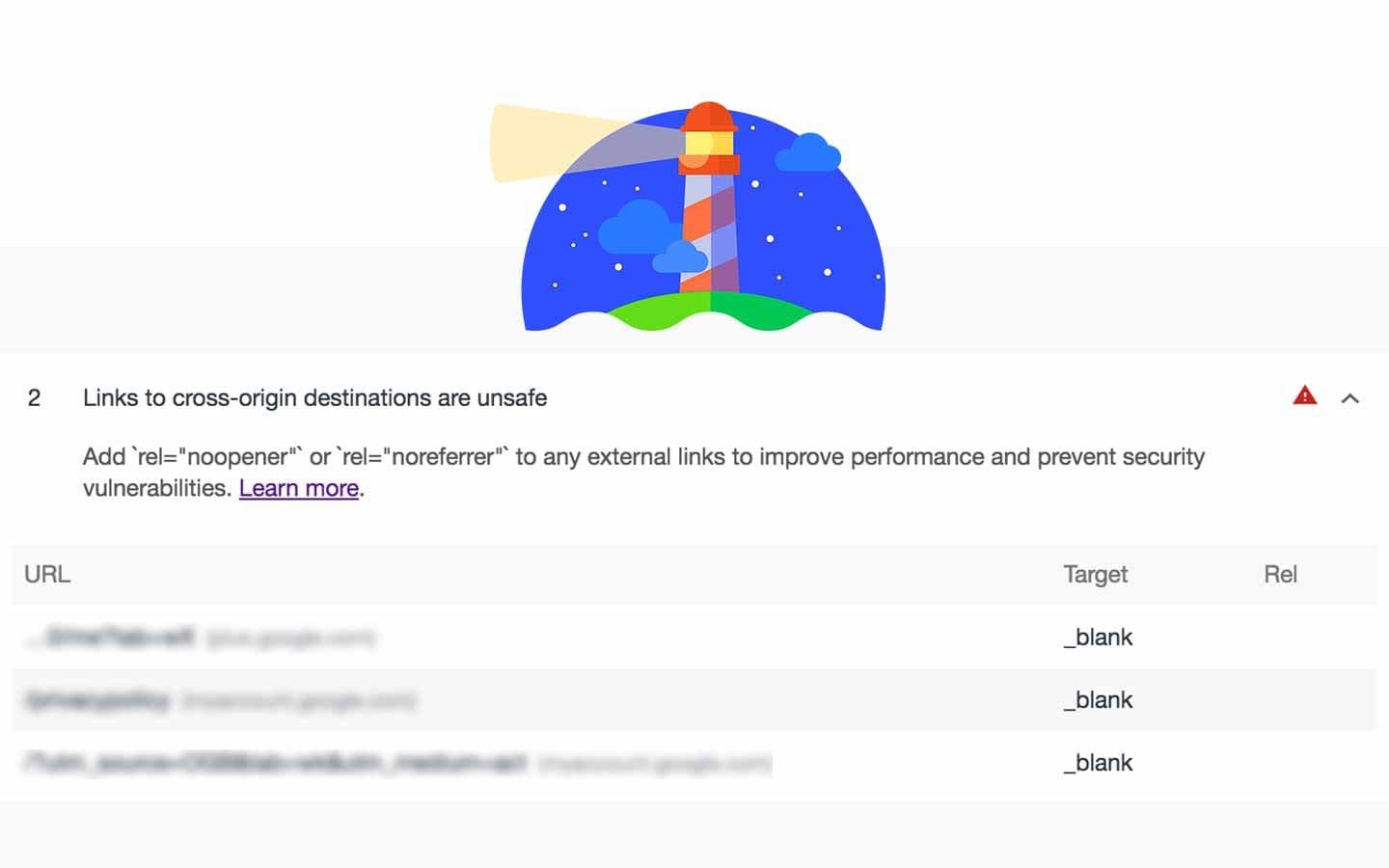
If you've run a Lighthouse audit recently, you may have noticed a warning in the Best Practices section: "Links to cross-origin destinations are unsafe." The fix is simple—add rel="noopener" to your external links—but understanding why is worth a few minutes.
The Problem
When you open a link in a new tab using target="_blank", the new page gets access to the original page through window.opener. This means the new page can do things like:
window.opener.location = 'https://malicious-site.com';
That's bad. A page you linked to could redirect your tab to a phishing page while your user is distracted reading the new tab. They switch back to "your" tab and it's now a fake login page harvesting credentials.
Even if you only link to sites you trust, those sites could get compromised, or the domain could expire and get purchased by someone malicious.
The Fix
Add rel="noopener" to any link that opens in a new tab:
<a href="https://example.com" target="_blank" rel="noopener">External Link</a>
This prevents the new page from accessing window.opener entirely.
You'll often see rel="noopener noreferrer" together. The noreferrer part prevents the Referer header from being sent, which is a privacy consideration but not strictly necessary for the security fix.
JavaScript Too
If you're opening windows via JavaScript, you need to handle this differently:
const newWindow = window.open();
newWindow.opener = null;
newWindow.location = url;
Or you can pass noopener as a window feature:
window.open(url, '_blank', 'noopener');
Performance Bonus
Beyond security, there's actually a performance benefit. Without noopener, the new tab runs in the same process as your page. Any slow JavaScript on that external page affects your page's responsiveness.
With noopener, the new tab gets its own process. Your page stays snappy regardless of what's happening in the tab you opened.
Just Do It
This is one of those small changes that takes seconds to implement and eliminates a real vulnerability. Go through your codebase, find your target="_blank" links, and add rel="noopener". Your Lighthouse score will thank you, and more importantly, your users will be safer.